
Freelancer Tax Guide Philippines: BIR Registration & Filing for Remote Workers (2026)
Complete guide to BIR registration and tax filing for Filipino freelancers and remote workers. Learn the 8% tax option, quarterly deadlines, and how to stay compliant while working for international clients.
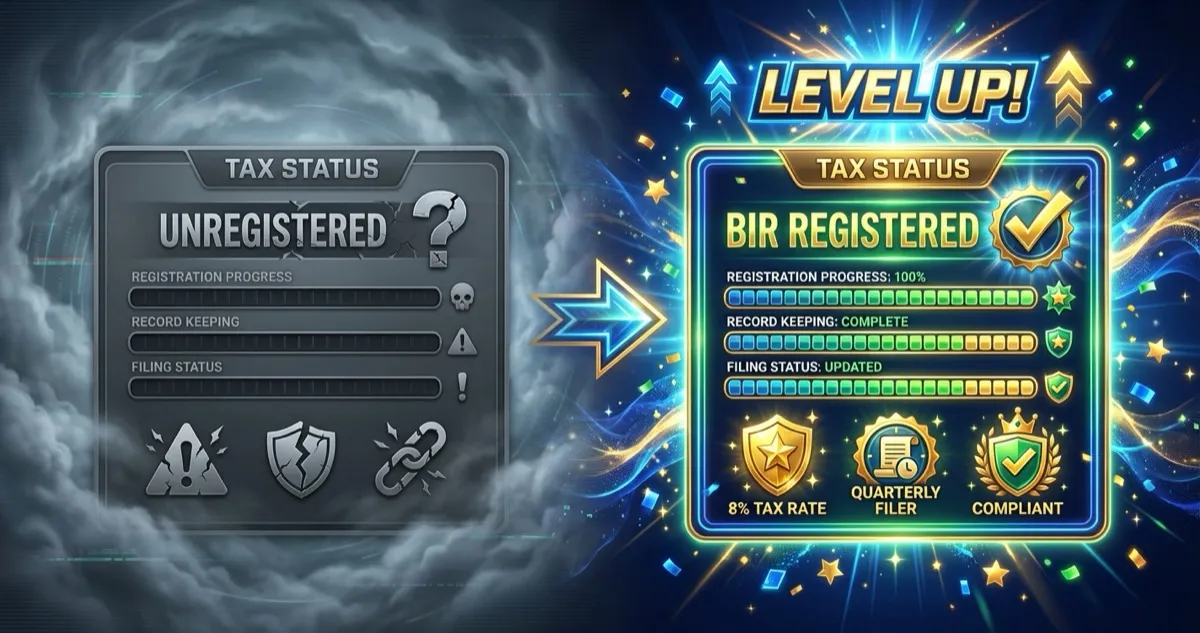
An estimated 1.5 million Filipinos are active on international freelancing platforms — and the real number is likely much higher when you count unregistered remote workers. If you're one of them, here's a question that might keep you up at night: Am I supposed to be paying taxes?
The short answer is yes. The Bureau of Internal Revenue (BIR) considers freelancers and remote workers as self-employed individuals, which means you're responsible for registering and filing your own taxes — even if your clients are based in the US, UK, or Australia.
But here's the good news: it's not as complicated as it sounds. This guide will walk you through everything you need to know about freelancer tax in the Philippines, from BIR registration to choosing the right tax scheme to filing your quarterly returns. By the end, you'll have a clear roadmap to stay compliant without the stress.
Do Filipino remote workers really need to pay taxes?
Let's address the elephant in the room. Many Filipino remote workers assume that because their clients are abroad, they don't need to pay Philippine taxes. This is a myth that can get you in serious trouble.
The legal reality
Under Philippine tax law, resident citizens are taxed on their worldwide income. This means:
- If you live in the Philippines and earn money from a US startup, you owe taxes to the BIR
- If you're a virtual assistant working for an Australian entrepreneur, same thing
- If you receive payments via Wise, PayPal, or Payoneer from international clients, the BIR still considers this taxable income
The BIR classifies freelancers, virtual assistants, online sellers, content creators, and remote workers as self-employed individuals. You're essentially running a one-person business, and that comes with tax obligations.
Why registration actually benefits you
Beyond avoiding penalties, being BIR-registered has real advantages:
- Proof of income — Need a bank loan, credit card, or visa application? A Certificate of Registration (COR) and filed tax returns serve as legitimate proof of income
- Professional credibility — Some clients, especially corporate ones, require BIR-registered invoices. Being registered lets you issue them legally
- Government benefits — Registration opens the door to voluntary SSS, PhilHealth, and Pag-IBIG contributions, giving you access to loans, health coverage, and retirement benefits
- Peace of mind — No more anxiety about potential BIR audits or penalties catching up with you
Step-by-step: How to register with BIR as a freelancer
The registration process is simpler than most people expect. Here's exactly what to do.
Step 1: Gather your requirements
Before heading to the BIR or registering online, prepare these documents:
- Valid government-issued ID (passport, driver's license, or national ID)
- Proof of address (utility bill, barangay certificate, or lease contract)
- Existing TIN (if you have one from previous employment)
Important: You do NOT need a DTI registration to register as a freelancer. DTI is only required if you want to use a business name instead of your personal name.
Step 2: Fill out BIR Form 1901
BIR Form 1901 is the application form for self-employed individuals and professionals. You have two options for filing:
Option A: Online via ORUS (Recommended)
- Go to the BIR Online Registration and Update System (ORUS)
- Create an account and fill out Form 1901 digitally
- Upload required documents
- Wait for email confirmation and schedule for your RDO visit
Option B: Walk-in at your RDO
- Find your Revenue District Office (RDO) based on your home address
- Bring printed Form 1901 (download from bir.gov.ph) and all requirements
- Submit and wait for processing
Common mistakes to avoid:
- Selecting the wrong taxpayer type (choose "Professional" or "Self-Employed")
- Forgetting to indicate your line of business (e.g., "Virtual Assistant Services," "Freelance Writing")
- Using your employer's RDO instead of your home address RDO
Step 3: Pay the registration fee
Good news: The ₱500 annual registration fee was abolished in 2024 under the Ease of Paying Taxes (EOPT) Act. You only need to pay a one-time ₱30 documentary stamp tax during your initial registration.
Payment can be made at authorized agent banks or through the BIR's online payment channels.
Step 4: Get your Certificate of Registration (COR)
After processing, you'll receive:
- BIR Form 2303 (Certificate of Registration) — This is your proof of registration. Keep it safe and display it in your workspace.
- Authority to Print (ATP) — If you need to issue BIR-registered invoices, this authorizes you to have them printed by BIR-accredited printers.
Step 5: Register your books of accounts
All registered taxpayers must maintain books of accounts. For most freelancers, common options include:
- Manual books — Such as a journal, ledger, and cash receipts book (available at bookstores like National Book Store). The exact books required depend on your registration type — check with your RDO.
Important 2026 update: As of RMC 4-2026, books of accounts must now be registered online through the ORUS (Online Registration and Update System). After completing registration online, the system generates a QR Code Stamp that you print and affix to the first page of your books. The old process of physically bringing books to the RDO for manual stamping has been discontinued except in rare cases of system downtime.
If you prefer digital record-keeping, you can apply for computerized books of accounts, but this requires additional BIR approval.
Choosing your tax scheme: 8% vs graduated rates
This is the most important decision you'll make as a freelancer. Choose the wrong scheme and you could end up paying thousands more than necessary.
Option 1: The 8% flat tax rate (recommended for most freelancers)
If your gross annual income is ₱3,000,000 or less, you can opt for the 8% income tax rate. Here's how it works:
- You pay 8% of your gross income exceeding ₱250,000
- This replaces BOTH the graduated income tax AND the 3% percentage tax
- No need to track itemized expenses or deductions
Example calculation:
Let's say you earn ₱600,000 per year (₱50,000/month) as a virtual assistant:
| Amount | |
|---|---|
| Gross Income | ₱600,000 |
| Less: Exemption | ₱250,000 |
| Taxable Amount | ₱350,000 |
| Tax Due (8%) | ₱28,000 |
That's ₱28,000 in taxes for the entire year, or roughly ₱2,333 per month.
Pros of the 8% option:
- Simple calculation
- No need to keep receipts for deductions
- Only one type of tax to file (no separate percentage tax)
Option 2: Graduated income tax rates
Under graduated rates, you're taxed based on progressive brackets. The 2025/2026 TRAIN Law rates are:
| Annual Taxable Income | Tax Rate |
|---|---|
| Up to ₱250,000 | Exempt |
| ₱250,001 - ₱400,000 | 15% of excess over ₱250,000 |
| ₱400,001 - ₱800,000 | ₱22,500 + 20% of excess over ₱400,000 |
| ₱800,001 - ₱2,000,000 | ₱102,500 + 25% of excess over ₱800,000 |
| ₱2,000,001 - ₱8,000,000 | ₱402,500 + 30% of excess over ₱2,000,000 |
| Over ₱8,000,000 | ₱2,202,500 + 35% of excess |
When graduated rates make sense:
- You have significant business expenses to deduct (equipment, software subscriptions, internet, office space)
- Your deductions bring your taxable income significantly below your gross income
- You're already VAT-registered (gross sales over ₱3M)
With graduated rates, you can choose between:
- Optional Standard Deduction (OSD): Automatically deduct 40% of gross income
- Itemized Deductions: Deduct actual documented expenses
Quick comparison: ₱600,000 annual income
| Scheme | Tax Calculation | Annual Tax Due |
|---|---|---|
| 8% Flat Rate | 8% x (₱600,000 - ₱250,000) | ₱28,000 |
| Graduated + OSD | Taxable: ₱360,000 (after 40% OSD) | ₱16,500 |
| Graduated + No Deductions | Full graduated calculation | ₱62,500 |
As you can see, the best option depends on your expenses. For most freelancers without major deductible expenses, the 8% flat rate is simpler and often cheaper.
How to elect your tax scheme
You must indicate your choice when you register or during your first quarterly filing of the year. If you want to switch schemes, you generally need to do so at the start of a new tax year (before your Q1 filing).
Filing your taxes: Deadlines & forms you need to know
Missing deadlines is one of the most common (and costly) mistakes freelancers make. Here's your calendar.
Quarterly income tax (BIR Form 1701Q)
If you're using the 8% flat rate, you only file this form quarterly:
| Quarter | Period Covered | Standard Deadline | 2026 Adjusted Deadline |
|---|---|---|---|
| Q1 | January - March | May 15 | May 15 (Friday) |
| Q2 | January - June | August 15 | August 17 (Monday) ⚠️ |
| Q3 | January - September | November 15 | November 16 (Monday) ⚠️ |
⚠️ 2026 weekend adjustment: When a deadline falls on a weekend or holiday, it moves to the next working day. August 15, 2026 falls on a Saturday and November 15, 2026 falls on a Sunday.
Note: Q4 is covered in your annual return.
Annual income tax return (BIR Form 1701 or 1701A)
Your annual filing covers the full calendar year and is due on April 15 of the following year.
- Form 1701A — Simplified form for those using the 8% rate or graduated rates with Optional Standard Deduction (OSD)
- Form 1701 — Full form if using graduated rates with itemized deductions
Percentage tax (BIR Form 2551Q) — Only if NOT using 8%
If you opted for graduated rates instead of the 8% flat rate, you must also file quarterly percentage tax:
| Quarter | Standard Deadline | 2026 Adjusted Deadline |
|---|---|---|
| Q1 (Jan-Mar) | April 25 | April 27 (Monday) ⚠️ |
| Q2 (Apr-Jun) | July 25 | July 27 (Monday) ⚠️ |
| Q3 (Jul-Sep) | October 25 | October 26 (Monday) ⚠️ |
| Q4 (Oct-Dec) | January 25 | January 25, 2027 (Monday) |
⚠️ 2026 weekend adjustments: April 25, July 25, and October 25 all fall on weekends in 2026.
If you're using the 8% flat rate, you do NOT file 2551Q.
What happens if you miss a deadline
Late filing comes with steep penalties:
- 25% surcharge on the tax due
- 12% interest per year on unpaid amounts (per RR 21-2018 under the TRAIN Law)
- ₱1,000+ compromise penalty per missed return
Example: If you owe ₱10,000 and file 3 months late, you could pay ₱13,000 or more after penalties.
If you're late, file as soon as possible. Penalties accumulate daily, so the sooner you file, the less you pay.
Paying your taxes: Where and how
Once you've filed your return, here's how to actually pay.
Online payment options
The BIR has modernized payment channels significantly:
- eBIRForms — File online and generate a payment slip for bank payment
- GCash — Pay BIR directly through the app (look for "Pay Bills" > "Government" > "BIR")
- Maya — Similar process to GCash
- Bank transfers — Most major banks (BDO, BPI, Metrobank, etc.) accept BIR payments through their online platforms
Over-the-counter payment
If you prefer in-person transactions:
- File your return via eBIRForms or manually
- Print the payment slip
- Pay at any Authorized Agent Bank (AAB)
- Keep the stamped receipt as proof
Tools that make filing easier
If tracking deadlines and calculations feels overwhelming, these tools can help:
- Taxumo (~₱499/month) — Automated calculations, deadline reminders, and online filing
- JuanTax — Similar features with different pricing tiers
- Manual via eBIRForms — Free, but requires more effort and tax knowledge
For most freelancers earning a stable income, investing in a tool like Taxumo pays for itself in time saved and penalties avoided.
Common questions remote workers ask about taxes
"I'm paid in USD — do I still pay taxes?"
Yes. Convert your USD earnings to PHP using the exchange rate on the date you received payment. Your bank statements showing deposits are sufficient documentation.
"My client doesn't give me a payslip — what do I do?"
As a self-employed individual, you're responsible for tracking your own income. Keep records of:
- Invoices you send to clients
- Payment confirmations from PayPal, Wise, or Payoneer
- Bank statements showing deposits
"I've been freelancing for years without registering — am I in trouble?"
This is more common than you think. Here's the honest truth:
- The BIR prioritizes large-scale tax evaders, not individual freelancers
- You can register now and start fresh — many RDOs won't penalize you for past years if you voluntarily comply
- If you're concerned about back taxes, consult a tax professional who can advise on voluntary disclosure programs
The best time to register was when you started freelancing. The second best time is now.
"Do I need to issue invoices?"
Under the Ease of Paying Taxes (EOPT) Act, invoices have replaced official receipts as the primary sales document for services (effective April 2024 via RR 7-2024). You should issue a BIR-registered invoice when:
- Your client requests one
- You're providing services to a Philippine-registered business that needs to claim it as an expense
For most international clients who don't need Philippine tax documentation, a simple commercial invoice is sufficient. If you still have unused official receipts from before the EOPT changes, check with your RDO on the transition rules.
"What about SSS, PhilHealth, and Pag-IBIG?"
These are separate from BIR taxes but equally important for self-employed individuals. As a freelancer, you can make voluntary contributions:
- SSS — For retirement, disability, and loan benefits
- PhilHealth — For healthcare coverage
- Pag-IBIG — For housing loans and savings
We'll cover these in detail in a future guide.
5 common mistakes Filipino freelancers make with taxes
Learn from others' mistakes:
-
Not registering because "my client is abroad" — Foreign-sourced income is still taxable if you're a Philippine resident.
-
Choosing the wrong tax scheme — If you're under ₱3M annually without major expenses, the 8% rate is almost always better.
-
Missing quarterly deadlines — Mark May 15, August 15, and November 15 on your calendar. Set phone reminders.
-
Not keeping records — Save all invoices, payment confirmations, and bank statements. You'll need them if audited.
-
Ignoring it until it becomes a problem — Small issues become big problems with compound interest. Address tax compliance early.
Next steps: Get compliant and focus on growing your income
Here's your action plan:
- Register with BIR using Form 1901 (if you haven't already)
- Choose the 8% flat rate if your gross income is under ₱3M
- Set calendar reminders for quarterly deadlines (May 15, Aug 15, Nov 15, Apr 15)
- Consider using Taxumo or similar tools to automate calculations and filing
- Keep records of all income and payments received
Tax compliance isn't just about avoiding penalties — it's about building a sustainable freelance career with proof of legitimate income. Once your tax setup is handled, you can focus on what matters: finding better clients and growing your earnings.
Ready to level up your remote career? Browse remote jobs that match your skills on Filipino Remote Jobs.
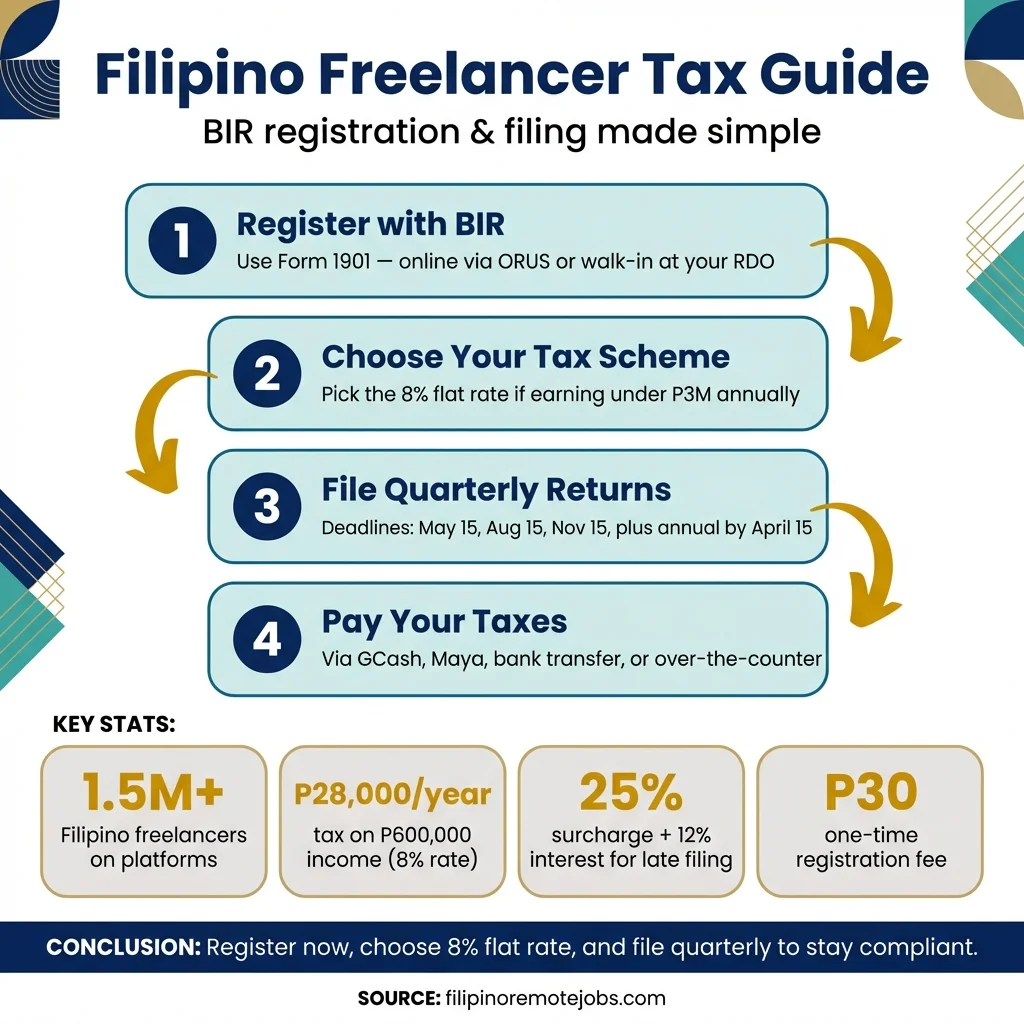
Save this infographic for your next tax filing:
Disclaimer: Filipino Remote Jobs is not a tax advisory firm, and the authors of this article are not tax accountants, lawyers, or licensed tax professionals. This guide is for general informational purposes only and does not constitute professional tax, legal, or financial advice. The information provided may not reflect the most current tax laws or regulations, and we make no guarantees regarding its accuracy or completeness. Your individual tax situation may differ. You should always conduct your own research and consult a qualified tax professional or accountant before making any tax-related decisions. Filipino Remote Jobs assumes no liability for any actions taken based on the information in this article.
Get Remote Jobs in Your Inbox
Join Filipino professionals getting curated remote job opportunities delivered every week. No spam, unsubscribe anytime.
Related Topics
Share this article
About Filipino Remote Jobs Team
The Filipino Remote Jobs Team is dedicated to helping Filipino professionals find legitimate remote work opportunities with international companies. We provide career advice, job search tips, and insights to help you land your dream remote job.
Related Articles
SSS, PhilHealth & Pag-IBIG: The Complete Guide for Filipino Freelancers & Remote Workers (2026)
How to register, pay, and maximize SSS, PhilHealth, and Pag-IBIG as a Filipino freelancer. 2026 contribution tables, benefits, and pro strategies.
AI Tools for Filipino Remote Workers: How to Work Faster, Earn More, and Stand Out (2025)
Discover free AI tools that Filipino VAs, freelancers, and remote workers are using to boost productivity and land higher-paying clients. Practical tips for the Philippine context.
Negotiate Your Remote Salary: Scripts & Benchmarks for Filipinos (2026)
Copy-paste salary negotiation scripts for Filipino remote workers. Includes 2026 salary benchmarks by role, tips for countering geo-based pay, and real examples.