
Surviving Brownouts: Complete WFH Power Backup Guide for Filipino Remote Workers (2026)
Practical guide to working from home during brownouts in the Philippines. Budget-friendly power and internet backup solutions, plus client communication templates.
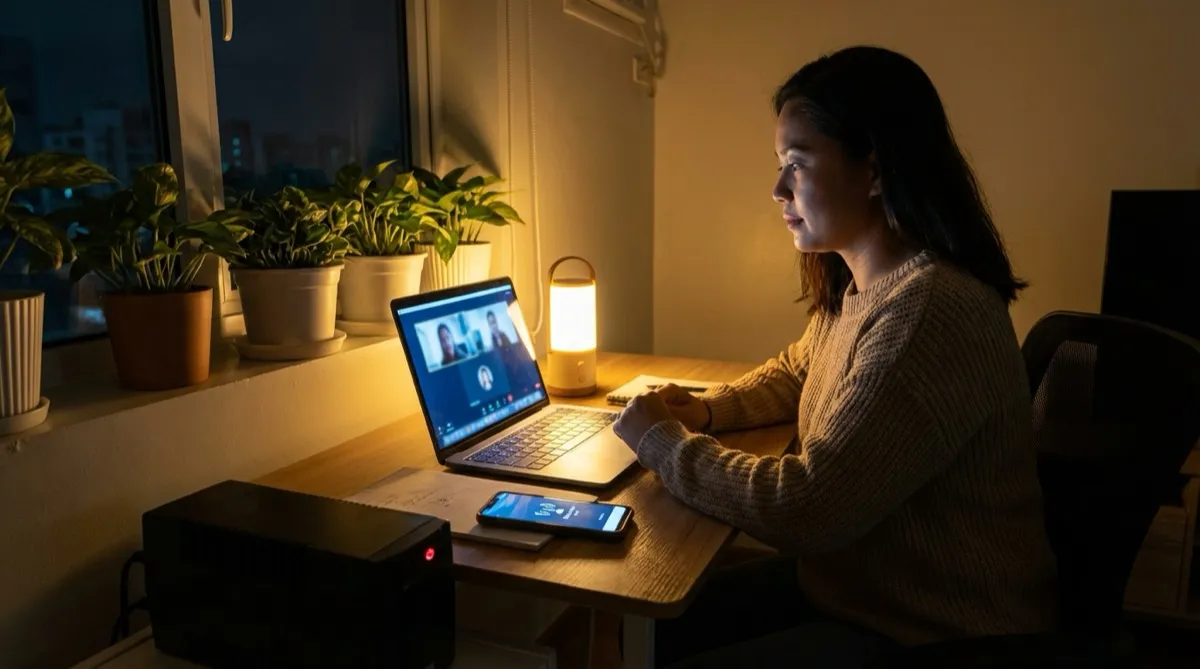
Nothing kills a remote work career faster than going dark during a client call. A young woman from Cebu learned this the hard way when an earthquake knocked out power and signal in her town for days. When she finally got back online, her remote employer had already cut off her access. No warning. No conversation. Just gone.
If you work from home in the Philippines, brownouts aren't just inconvenient—they're career risks. With an average of 20 tropical cyclones entering the country annually and 8-9 making landfall, power outages are practically guaranteed at some point.
This guide covers everything you need to prepare: budget-friendly power backup options, internet solutions for when your WiFi dies, and ready-to-use templates for communicating with clients. The goal isn't to eliminate brownouts—it's to eliminate surprises.
Why brownouts are a bigger deal for remote workers
When you work in an office, a power outage means everyone's affected. Your boss sees it. Your team experiences it. There's built-in understanding.
Working from home is different. Your client in the US has no idea that half of Luzon just lost power. They just know you disappeared in the middle of a Zoom call or missed a deadline.
The compounding effect is real: one missed meeting might be forgiven, but two or three outages start creating doubt. Clients begin questioning your reliability, even if the brownouts are completely beyond your control.
This isn't about being perfect. It's about being prepared. The remote workers who thrive long-term aren't the ones who never experience outages—they're the ones who handle them professionally.
Power backup solutions by budget
Not everyone can drop ₱50,000 on a premium power station, and you don't need to. Here's how to protect your work at every budget level.
Budget-friendly: Under ₱5,000
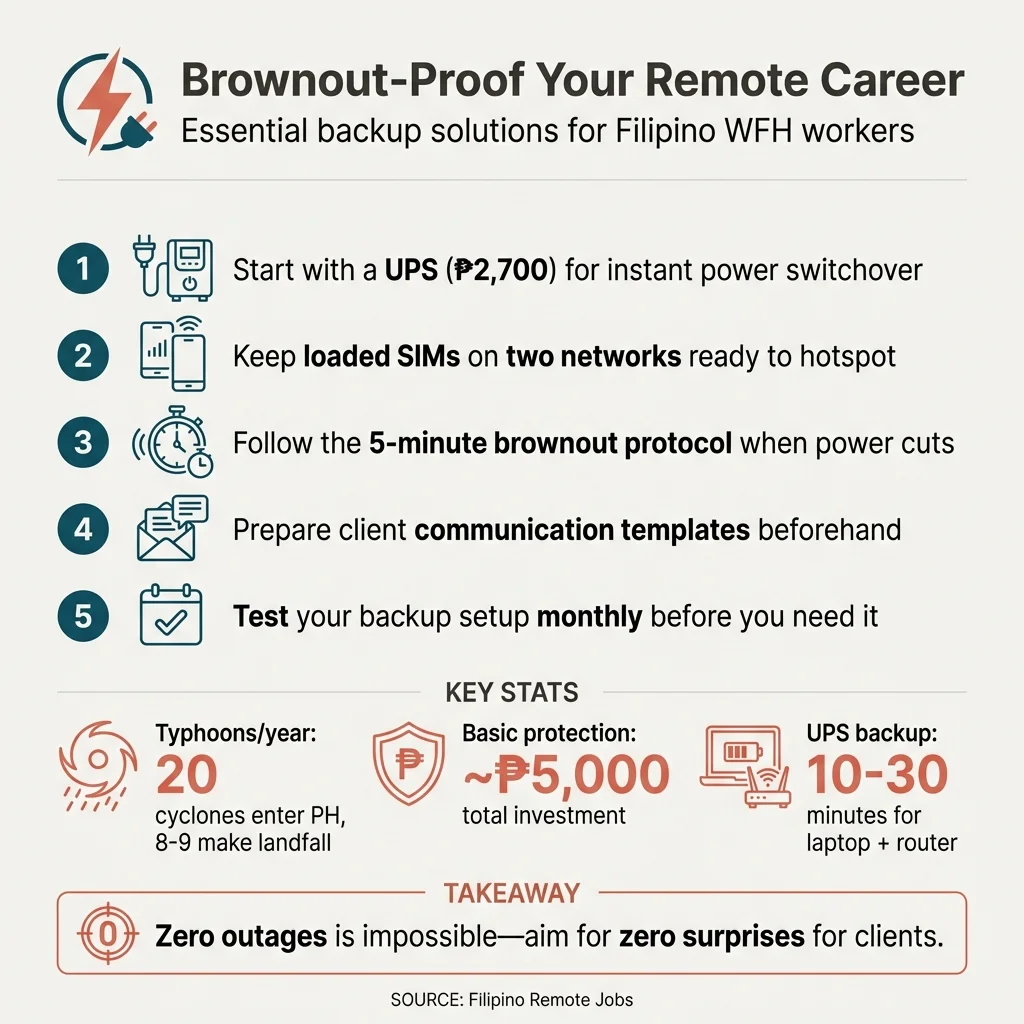
Start with a UPS (Uninterruptible Power Supply). Unlike a power bank, a UPS provides instant switchover when power cuts—your laptop won't even notice the outage.
Recommended: APC BVX650I-PH 650VA (around ₱2,700). This gives you 10-30 minutes of backup for a laptop and WiFi router. That's enough time to save your work, send a quick message to your client, and gracefully exit any calls.
Add a quality power bank (₱500-1,500) for your phone. During extended outages, your phone becomes your primary communication tool.
Total investment: Around ₱3,500-4,500
Mid-range: ₱5,000-₱15,000
At this level, you can extend your backup time significantly. Consider:
- Higher-capacity UPS: Units with 1000VA or higher can power your setup for 1-2 hours
- Entry-level power stations: These are essentially giant power banks with AC outlets, perfect for laptops and fans
When to choose UPS vs power station: A UPS is better if you need instant, automatic switchover (critical for video calls). A power station gives you more capacity and portability but requires you to manually plug in when power goes out.
Premium: ₱15,000+
For those with mission-critical work or frequent extended outages:
- EcoFlow River 3: Around ₱12,290-₱14,290 on sale (245Wh capacity, 300W output). Can power a laptop for 4-6 hours.
- Larger units from EcoFlow, Bluetti, or Anker: ₱20,000-₱70,000+ depending on capacity
Add a solar panel (starting around ₱5,000) for truly extended outages during typhoon season. Yes, it's a significant investment—but if your remote income depends on staying online, it pays for itself quickly.
Internet backup: Your second lifeline
Power backup is only half the equation. During brownouts, your fiber internet goes down too. Here's how to stay connected.
Mobile data as primary backup
The simplest solution: keep a loaded SIM ready to hotspot.
Globe options:
- FamSURF 199: 50GB for 7 days (₱199)—enough for most remote work
- HomeSURF 599: 75GB for 15 days (₱599)—better value for heavy users
Smart options:
- POWERALL 99: 8GB for 7 days (₱99)—budget option for light work
- POWERALL 449: 20GB for 30 days (₱449)—includes unlimited calls/texts
Pro tip from experienced VAs: Keep two networks loaded. As one VA shared: "I keep both Globe and Smart SIMs so I can switch when one fails." Different networks have different coverage and congestion patterns—having both gives you redundancy.
Speed requirements:
- Email and chat: 1-2 Mbps (easily handled by 4G)
- Video calls: 3-5 Mbps minimum, 10+ Mbps for HD
- Screen sharing: 5-10 Mbps for smooth performance
Dual ISP strategy
If you experience frequent outages or have a high-stakes role, consider a second fiber connection as backup-only. Budget ISPs like Converge or regional providers often have plans under ₱1,500/month.
Some routers support automatic failover—when one connection drops, it switches to the backup seamlessly. This is overkill for most remote workers, but worth considering if you handle real-time customer support or live sessions.
The 5-minute brownout protocol
When the lights go out, you have about 5 minutes to handle everything. Here's your checklist:
-
Immediate (0-30 seconds): Don't panic. Your UPS is handling it. If you're on a call, calmly say "I'm experiencing a power interruption, switching to backup now."
-
Check backup power (30-60 seconds): Confirm your UPS is running. Check battery level. Estimate how much time you have.
-
Switch internet (1-2 minutes): Turn on your phone hotspot or pocket WiFi. Connect your laptop. Test the connection.
-
Communicate (2-3 minutes): Send a quick message to your client or team. Even a simple "Experiencing brownout, on backup power, will update if situation changes" builds trust.
-
Prioritize (3-5 minutes): What absolutely must be done now? What can wait? If you have limited battery, focus on critical tasks and communication, not routine work.
Communicating with clients during outages
How you communicate matters as much as having backup equipment. Here are templates you can adapt:
Pre-emptive warning (scheduled brownout)
"Hi [Name], just a heads up—there's a scheduled power maintenance in my area tomorrow from 9 AM to 12 PM (Philippine time). I'll be working on mobile backup during this period, so there might be slight delays in responses. I'll prioritize [specific tasks] and will message you once power is restored."
Real-time notification (unexpected outage)
"Hi [Name], we just had an unexpected power outage in my area. I'm currently on backup power and mobile internet. I can continue working on [task] but may have limited availability for video calls until power returns. I'll keep you updated."
Follow-up after restoration
"Power is back! Everything is running normally now. Let me know if you need anything urgent, and apologies for any inconvenience earlier."
The key is transparency. Clients respect honesty and proactive communication far more than excuses after the fact.
Preventing brownout disasters
The best brownout response is prevention. Build these habits:
- Keep devices charged during work hours. Don't let your laptop drop below 50% if you can help it.
- Monitor MERALCO announcements and weather forecasts. Scheduled maintenance is easier to handle when you know it's coming.
- Test your backup setup monthly. Unplug your router, switch to mobile data, and confirm everything works before you actually need it.
- Prepare a "brownout bag": Charged power bank, pocket WiFi with load, phone charger. Keep it ready so you're not scrambling when lights go out.
Start protecting your remote career today
You don't need to buy everything at once. Start with the basics:
- UPS for laptop and router (~₱2,700)
- Pocket WiFi or loaded SIM (~₱1,000-2,000 including data)
- Saved client communication templates (free)
That's roughly ₱5,000 to significantly cut your brownout risk. Scale up from there as your budget allows.
The goal isn't zero outages—that's impossible in the Philippines. The goal is zero surprises for your clients. When you can handle brownouts professionally, you demonstrate the diskarte that makes Filipino remote workers stand out.
Ready to find remote work opportunities that value Filipino talent? Browse our current job listings and get started.
Quick reference
Save this infographic for your next brownout:
Get Remote Jobs in Your Inbox
Join Filipino professionals getting curated remote job opportunities delivered every week. No spam, unsubscribe anytime.
Related Topics
Share this article
About Filipino Remote Jobs Team
The Filipino Remote Jobs Team is dedicated to helping Filipino professionals find legitimate remote work opportunities with international companies. We provide career advice, job search tips, and insights to help you land your dream remote job.
Related Articles
Night Shift Survival Guide: Health Tips for Filipino Remote Workers (2026)
Practical health tips for Filipino remote workers on US/EU time zones. Sleep strategies, meal timing, caffeine management, and staying healthy on the graveyard shift.
How to Hire a Filipino Virtual Assistant: The Complete 2026 Guide
How to hire a Filipino virtual assistant in 2026 — what to pay, where to find them, how to screen, onboard, and avoid costly mistakes.
Virtual Assistant Jobs in the Philippines: How to Get Started With No Experience (2026)
Want virtual assistant jobs in the Philippines but have no experience? This guide covers the exact skills, free training resources, and platforms to land your first VA role.